

Free ATS résumé templates
Free ATS-friendly résumé templates that parse cleanly.
Five résumé templates built to be read correctly by applicant tracking systems, shown below with a sample résumé. Download a sample Word file of any of them, no account needed. In OneResume, Clean is free and all five come with Pro.
- Single column (four of five)
- Real text, no images
- Tested against a parser
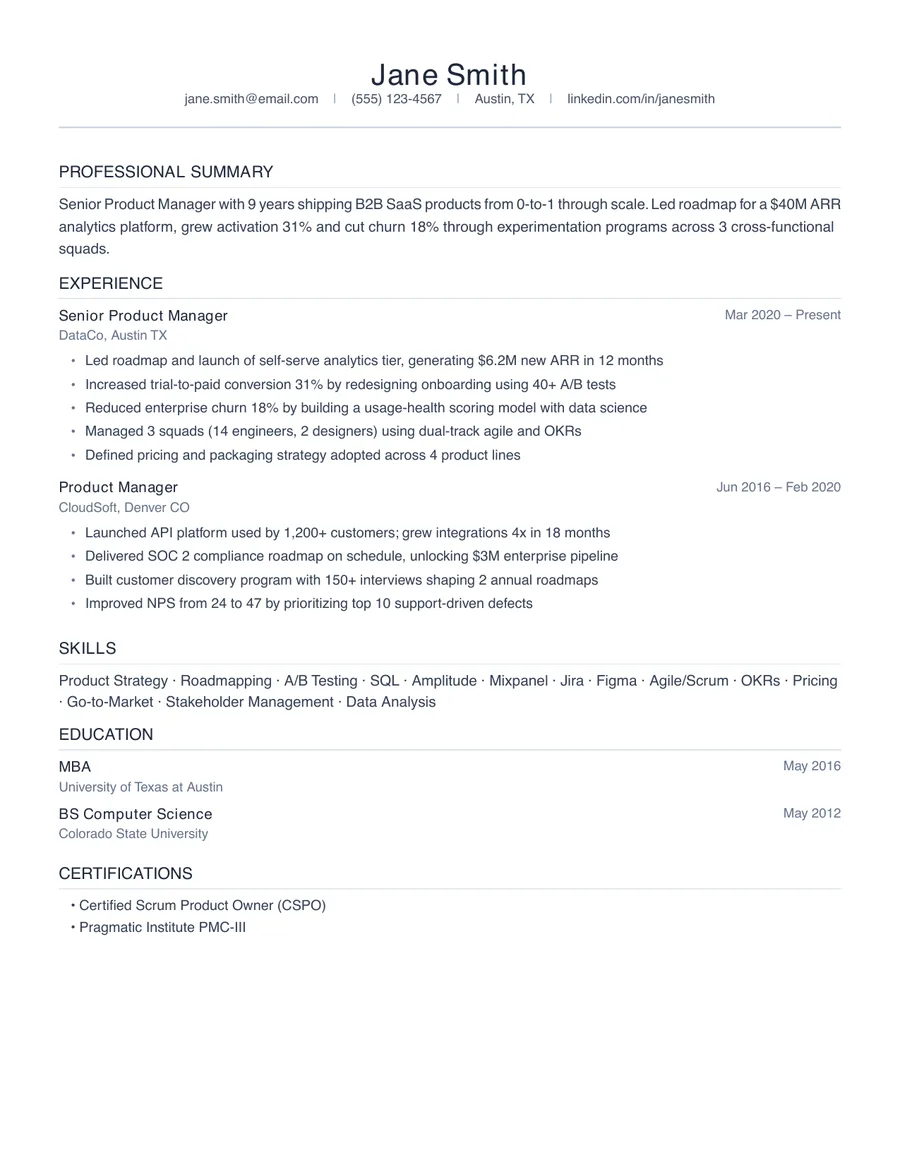
Clean
ATS OptimizedFreeSingle column, minimal, maximum ATS compatibility.
Best for: Any application, especially large-company portals. The safest choice for an ATS.
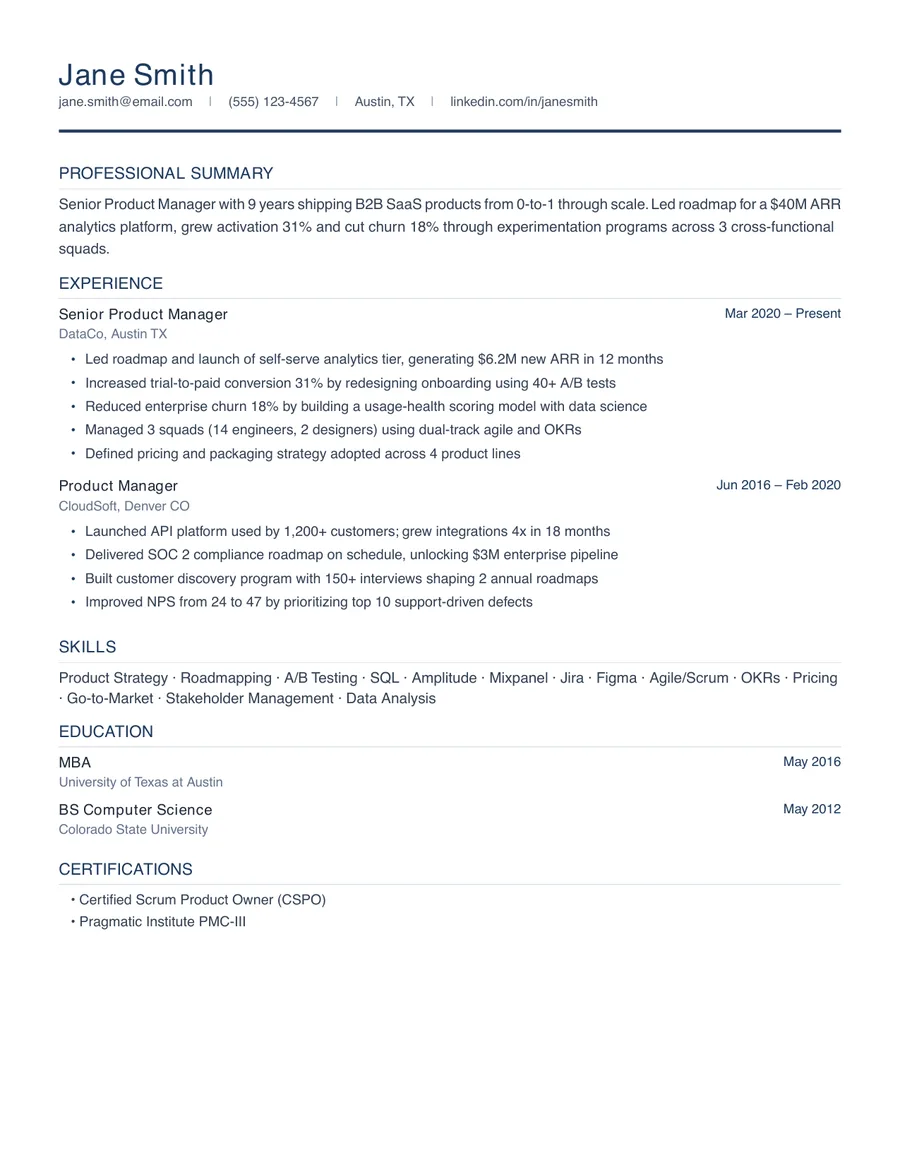
Professional
ATS OptimizedProSubtle design accents with more visual hierarchy.
Best for: Most applications when you want a little more polish. Still ATS-optimized.
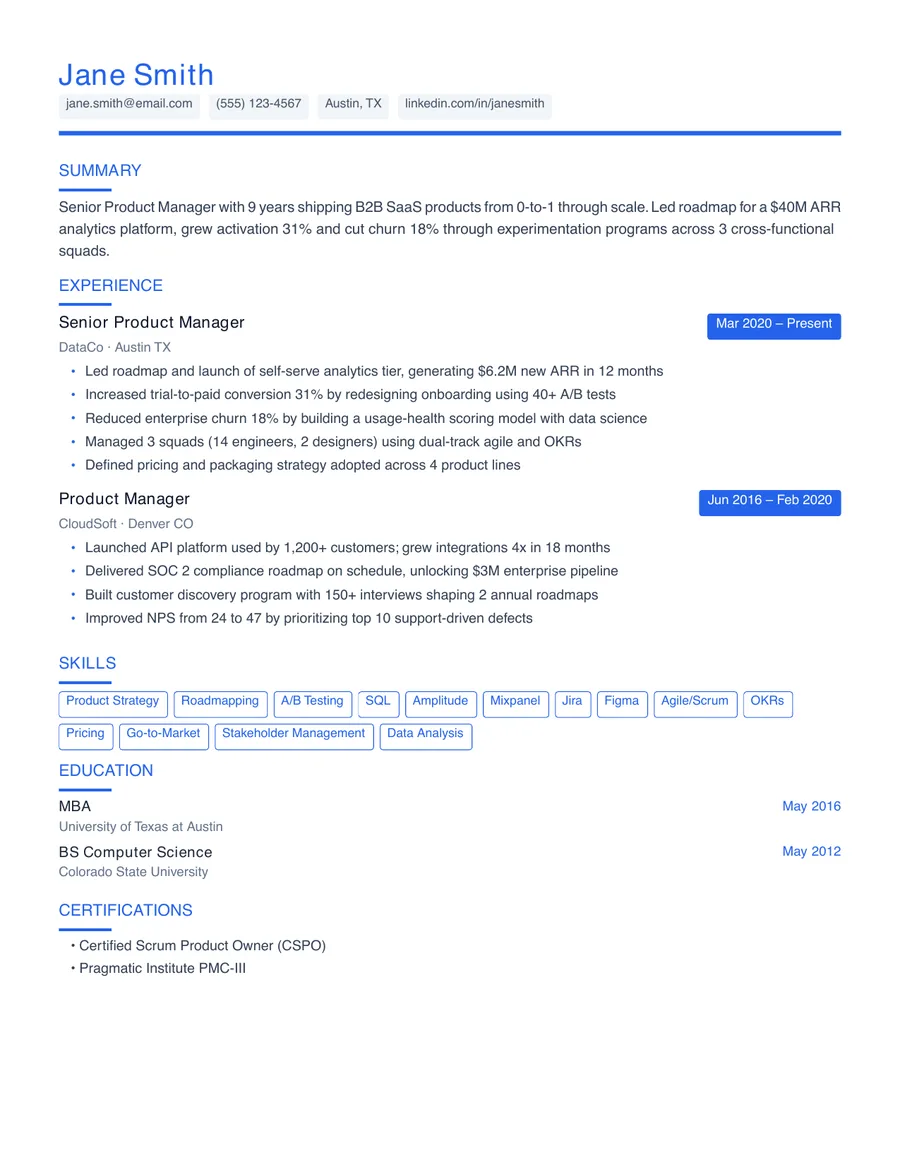
Modern
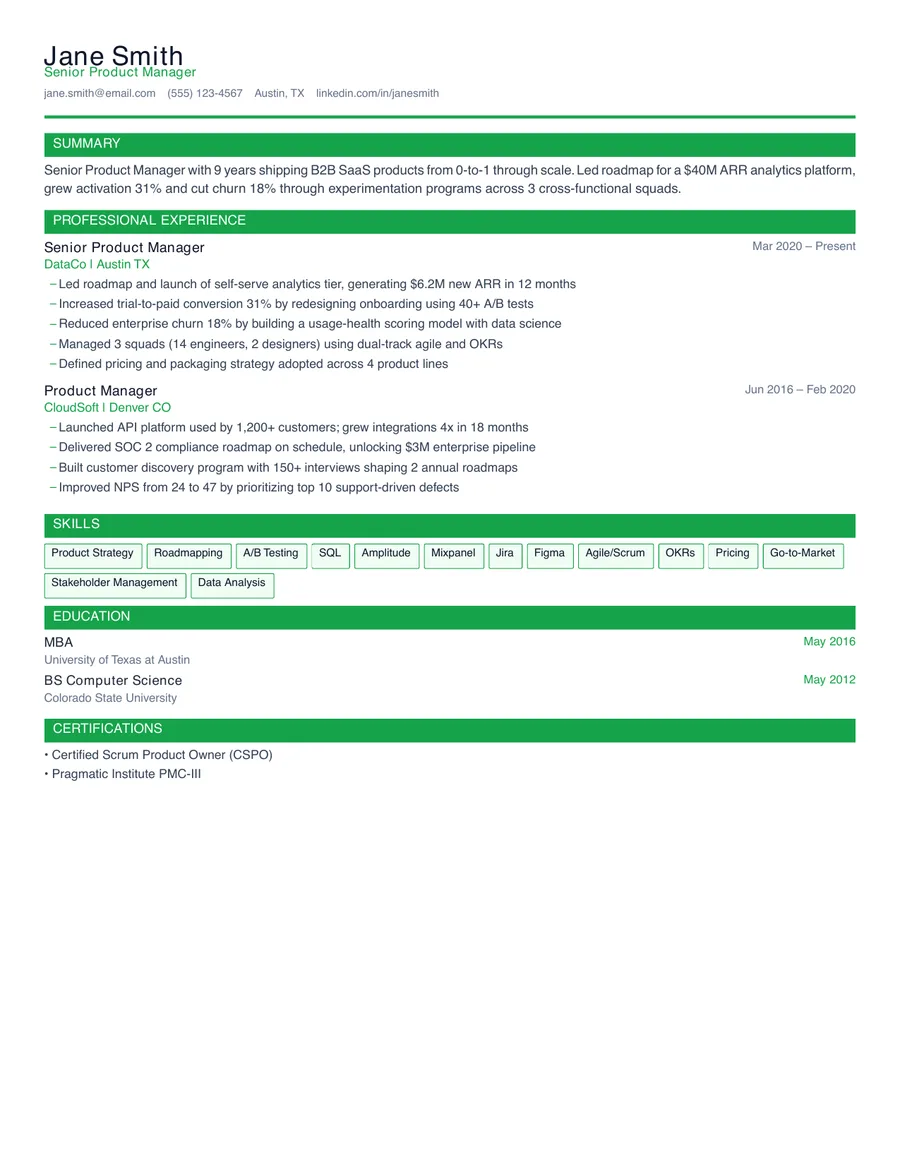
ATS CompatibleProBolder typography with color accents, still ATS-safe.
Best for: Product, design, marketing and tech roles. Color accents on a single column.
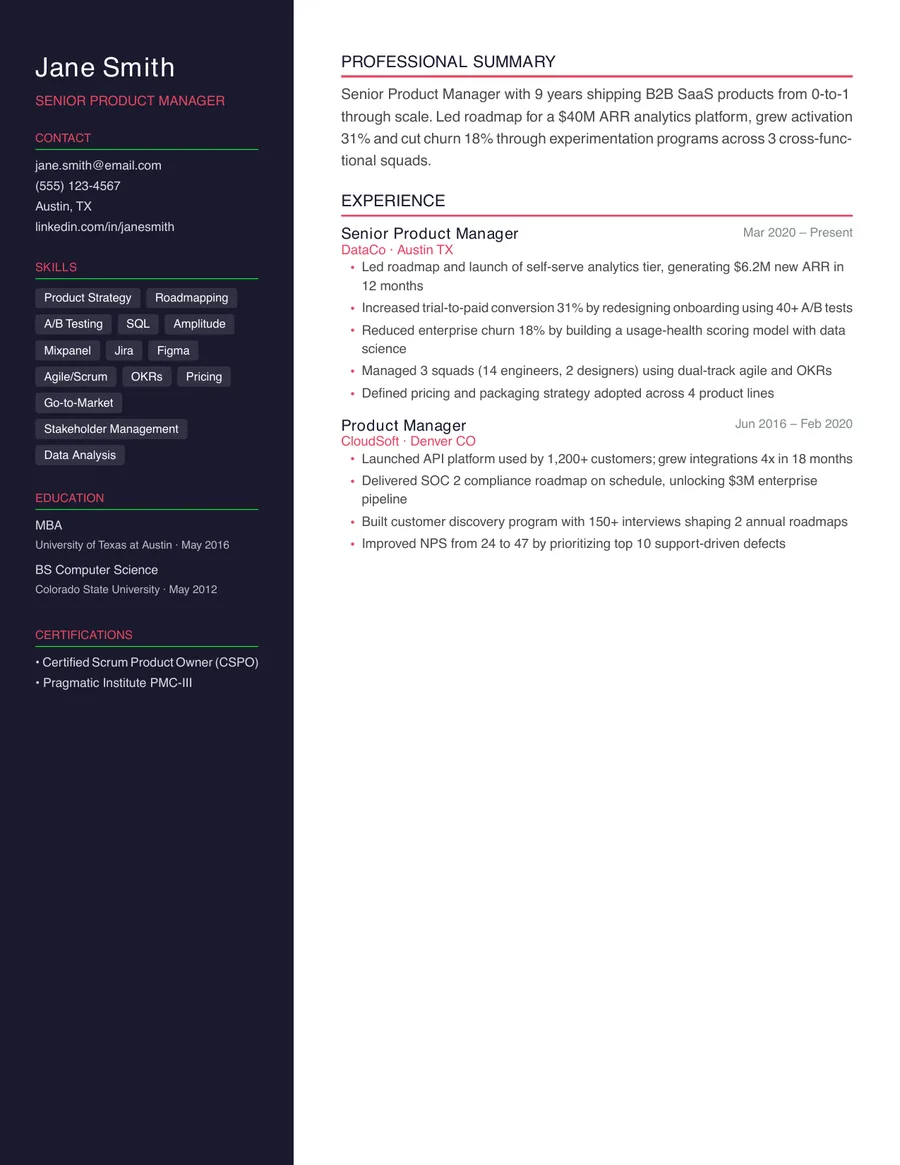
Executive
Visual OnlyProTwo-column sidebar layout for email and LinkedIn; export Clean or Professional for ATS uploads.
Best for: Emailing a recruiter or hiring manager, and networking. Use Clean or Professional for ATS uploads.
Compact
ATS CompatibleProDense single-column for experienced professionals.
Best for: Long careers that need more on two pages. A dense single column.
What makes a résumé template ATS-friendly?
An ATS-friendly template is one a parser can read top to bottom in the order you wrote it. An applicant tracking system turns your file into fields (name, job titles, dates, skills) before anyone reads it, and layout choices decide whether that works. The templates on this page follow the same rules:
- One column. Sidebars, tables and text boxes are often read out of order, so a date can end up attached to the wrong job.
- Real text. No words inside images, icons or charts; a parser can't read a skill bar.
- Standard headings. Summary, Experience, Education, Skills, written as whole words.
- Contact details in the body, not in the document's header or footer.
- Dates in one format, such as Mar 2020 – Present, on the same line as the title.
- A common font at a readable size, exported as a text-based PDF or a Word file.
The full list is in ATS résumé format rules for 2026.
Which template should you use?
For an online application, use Clean or Professional. Use the others when you know a person will read the file first.
| Your situation | Template |
|---|---|
| Applying through Workday, Taleo, iCIMS or another large portal | Clean |
| Applying online and you want a little more visual polish | Professional |
| Product, design, marketing or tech roles | Modern |
| 15+ years of experience to fit on two pages | Compact |
| Emailing a recruiter, a referral or networking | Executive |
How we test these templates
Every template is rendered and read back by a parser in our test suite, the way a résumé parser starts. A template fails the test if a section heading comes back broken into letters or if the email or phone number doesn't survive extraction. All five pass.
Passing that test doesn't make every layout equal. Executive puts contact details and skills in a sidebar, and many applicant tracking systems read sidebars out of order, so we label it “visual only” and recommend Clean or Professional for uploads. Modern and Compact are single-column with heavier styling; they read correctly but have less margin for error than Clean.
A template is half the job
A clean template keeps your résumé from being scrambled. What gets you shortlisted is the content: the skills and results the posting asks for, in the bullets where a recruiter looks. Check how your current résumé reads with the free ATS résumé checker, then tailor it to the job. OneResume rewrites it from your real history and exports it in any of these templates.
Questions people ask
Are these ATS-friendly résumé templates free?
The Clean template is free on OneResume's free plan, with PDF export. Professional, Modern, Compact and Executive, plus Word export of your own résumé, come with Pro. The sample Word file of every template on this page is free to download, no account needed.
Which résumé template is best for ATS?
A single-column template with standard section headings and real text, like Clean or Professional. They are the safest choice for large-company portals because a parser reads them top to bottom in the order you wrote them.
Can an ATS read a two-column résumé?
Sometimes, but not reliably. Many parsers read a sidebar before or after the main column, so dates, titles and skills can end up attached to the wrong job. Keep two-column designs for résumés you send to a person directly.
Should I upload my résumé as a Word file or a PDF?
Either works with most applicant tracking systems if the PDF contains real, selectable text. Use Word (.docx) when the posting asks for it or the portal struggles with your PDF; otherwise a text-based PDF keeps your layout intact.
Do résumé templates from design tools work with ATS?
Many design-tool templates place text in boxes, columns or graphics, which some parsers read out of order or skip. If you use one, run the exported file through an ATS checker and look at what it extracted before you apply.
Is the template or the content more important?
The content. A clean template keeps a parser from scrambling your résumé, but what gets you shortlisted is the evidence: the skills and results the posting asks for, in the bullets where a recruiter looks.
Pick a template, then make the content count.
Clean is free with an account. Every template exports as PDF; Pro adds Word.